Open from the ayah
Use the ayah detail sheet to enter tafsir while keeping the current surah and ayah in context.
Context when you need it
Open tafsir from an ayah, choose a supported source, and download content before a journey or unreliable connection. The reading flow stays close to the verse that prompted the question.
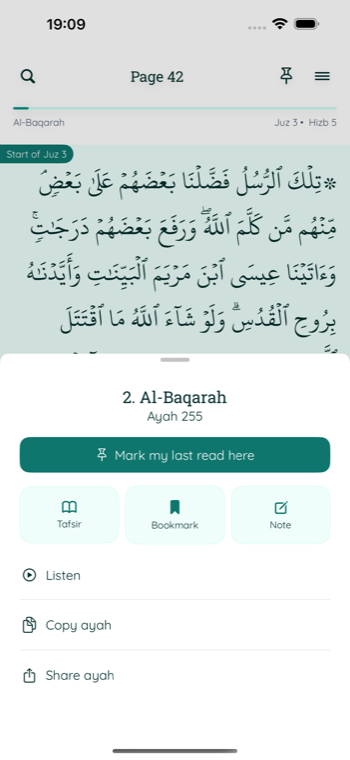
A focused tafsir workflow
Tafsir is treated as part of the reading experience, not a separate collection of disconnected text.
Use the ayah detail sheet to enter tafsir while keeping the current surah and ayah in context.
Switch between supported Indonesian, English, and Arabic tafsir sources according to your needs.
Download a surah when needed or prepare a full supported source, then review storage from Settings.
Supported sources
Religious texts remain attributed to their respective sources and owners.
An Indonesian-language tafsir from the Ministry of Religious Affairs of Indonesia.
Arabic and English datasets sourced through Quran.com datasets.
For questions involving interpretation, rulings, or personal religious practice, consult a qualified scholar or teacher you trust.
Before going offline
Choose the source that matches the language and depth you want to study.
Download the current surah or manage a broader source download. Wi-Fi-only and background download preferences are available.
Use the Offline Tafsir area in Settings to review progress, estimated storage, or remove downloaded content.
Common questions
Yes, after the relevant supported tafsir content has been downloaded. Content that has not been downloaded still needs a connection.
Yes. Offline Tafsir settings show the status for each source and provide an option to remove downloaded content.
The current audio player streams recitation and requires a connection. Offline tafsir and streamed audio are separate features.
Related guides
Tafsir in My Quran Reader
Read supported tafsir, prepare it offline, and return to your Quran reading without losing your place.