Start from any ayah
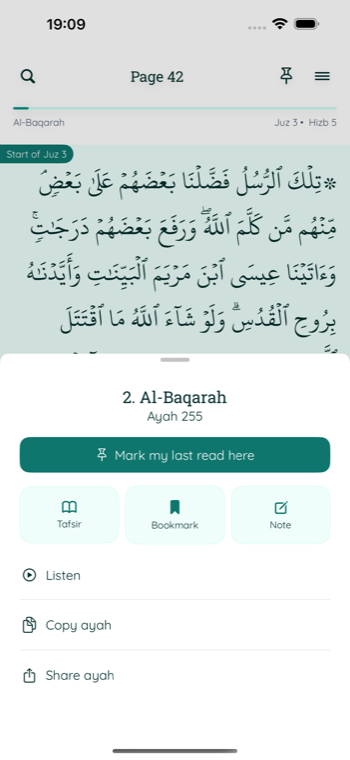
Use the Listen action from the ayah detail sheet, so playback begins from the verse you are reading.
Listen beside the ayah
Open Listen from any ayah, choose a reciter, and follow the Arabic text and translation while the recitation plays. Move between ayahs without leaving the focused player.
Focused listening
The player keeps the current surah, ayah, Arabic text, and selected translation visible around simple playback controls.
Use the Listen action from the ayah detail sheet, so playback begins from the verse you are reading.
Switch between six available reciters and reload the current ayah with the selected voice.
Move to the previous or next ayah manually, or enable auto-play for the following ayah.
Available reciters
Recitation audio is streamed from the URLs included in the Quran dataset.
A simple listening flow
Select an ayah in the reader, then tap Listen from its focused action sheet.
Use the reciter menu, play and pause control, or timeline slider to manage the session.
Use previous and next controls. Auto-play next ayah is available when you want continuous listening.
Listening questions
Not currently. Recitation is streamed, so an internet connection is required to load audio. Downloaded tafsir is a separate offline feature.
Yes. Enable Auto-play next verse in the audio player. You can turn it off whenever you want to remain on the current ayah.
The player displays the translation language selected in the reader settings, along with the Arabic text.
Related guides
Quran audio on iPhone
Choose a reciter, follow the ayah, and continue when you are ready.